HOW IT WORKS
Interior Reel Hub
Your photos. Your voice. Your reel.
Follow these four steps, from setting up your brand to downloading your reel.
First, sign in.
- New here? Select Set up my brand and create an account.
- Check your email and spam folder to confirm it.
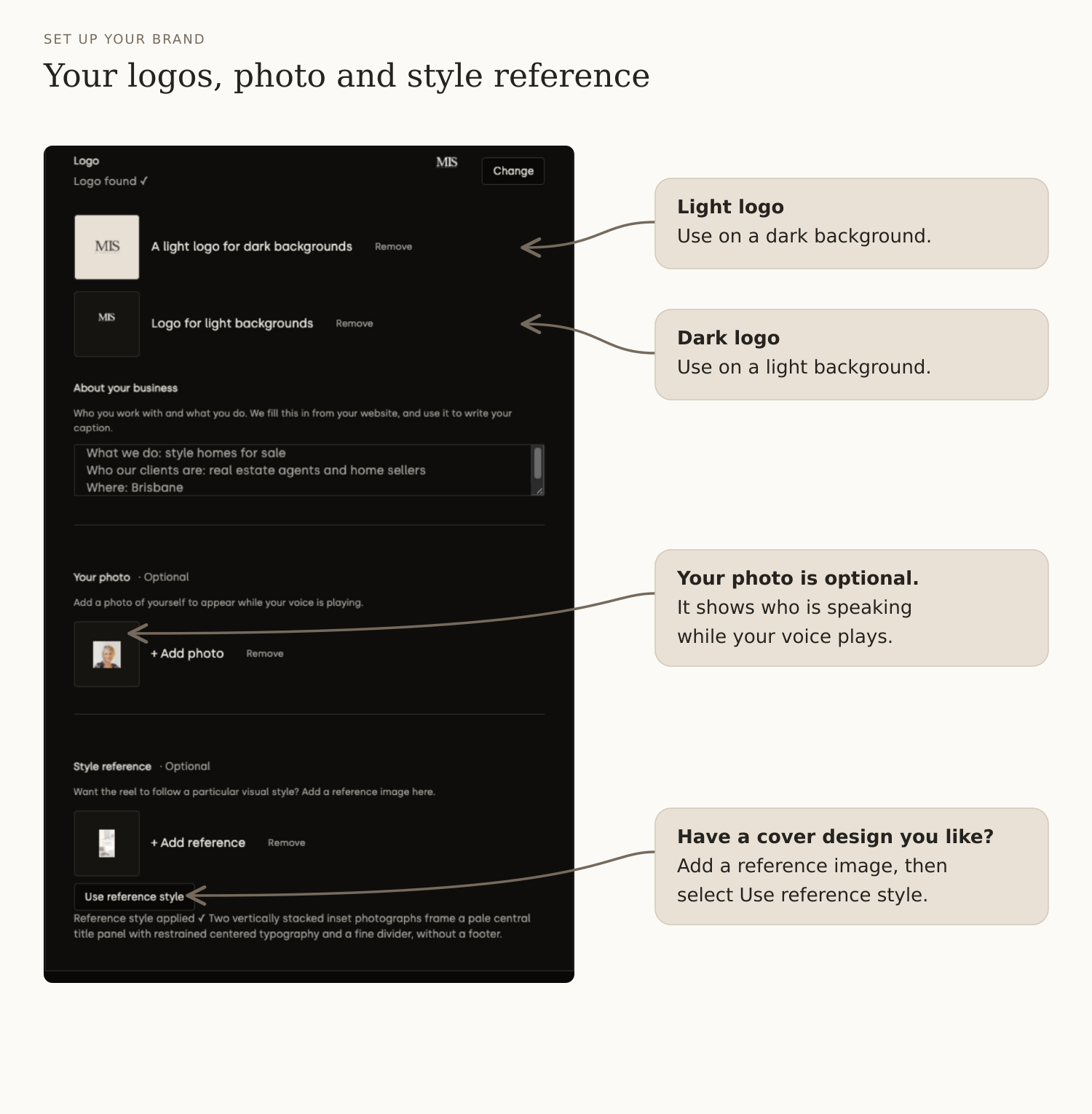
START HERE · YOUR BRAND
Set up your brand once.
- Enter your business name and website, then select Get my brand.
- No website, or it cannot be read? Select Manually add my brand.
- Check your colours, font and logos in Brand details.
- Add your photo if you like, then select Save my brand.
STEP 1 · PHOTOS & COVER
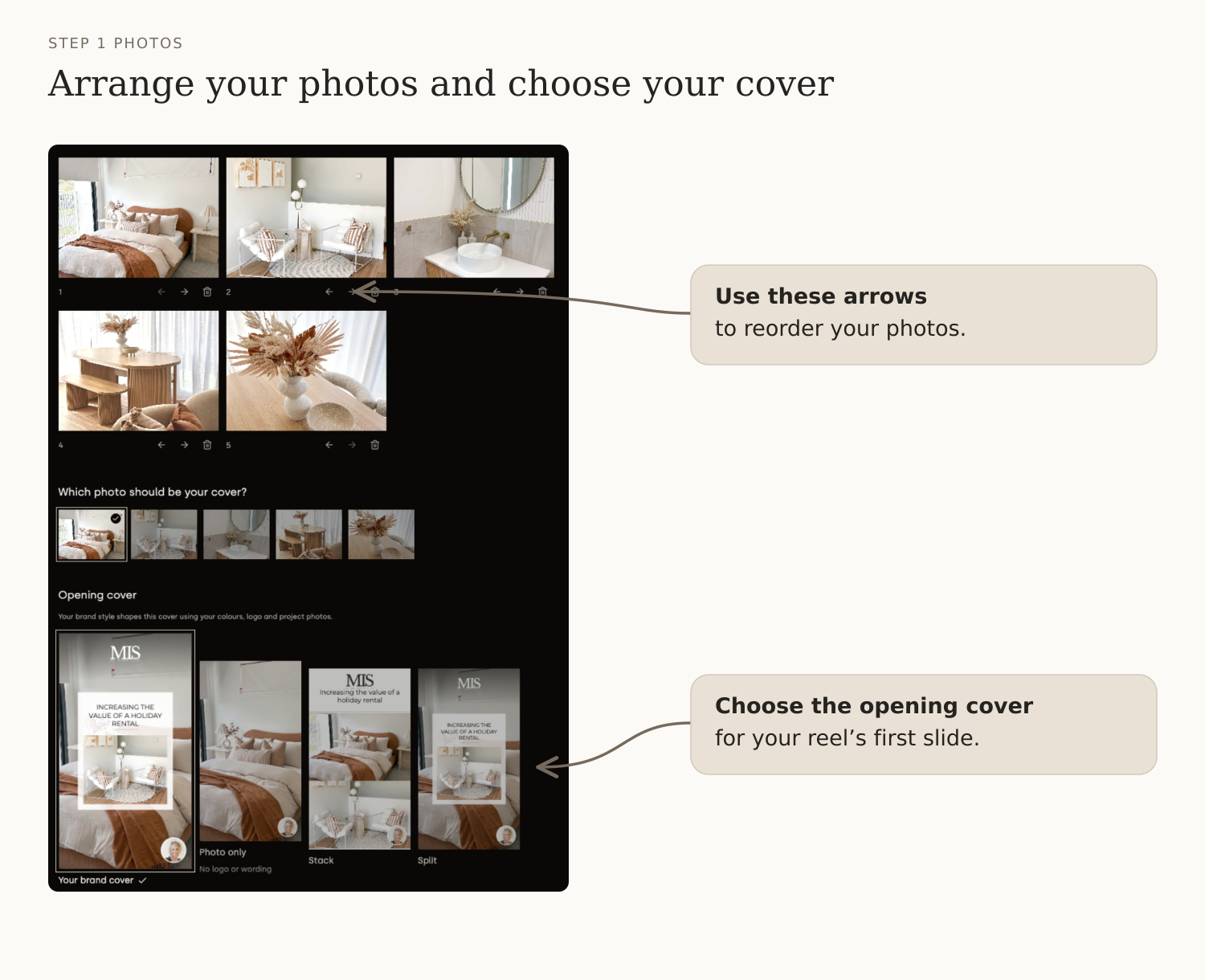
Add your photos. Choose your cover.
- Select Create a reel.
- Write a hook that makes people want to watch.
- Add your photos or clips. Include a photo for your cover.
- You can arrange the photos by using the arrows below each photo.
- Choose your cover page template.
- Select Continue to voiceover.
STEP 2 · YOUR STORY
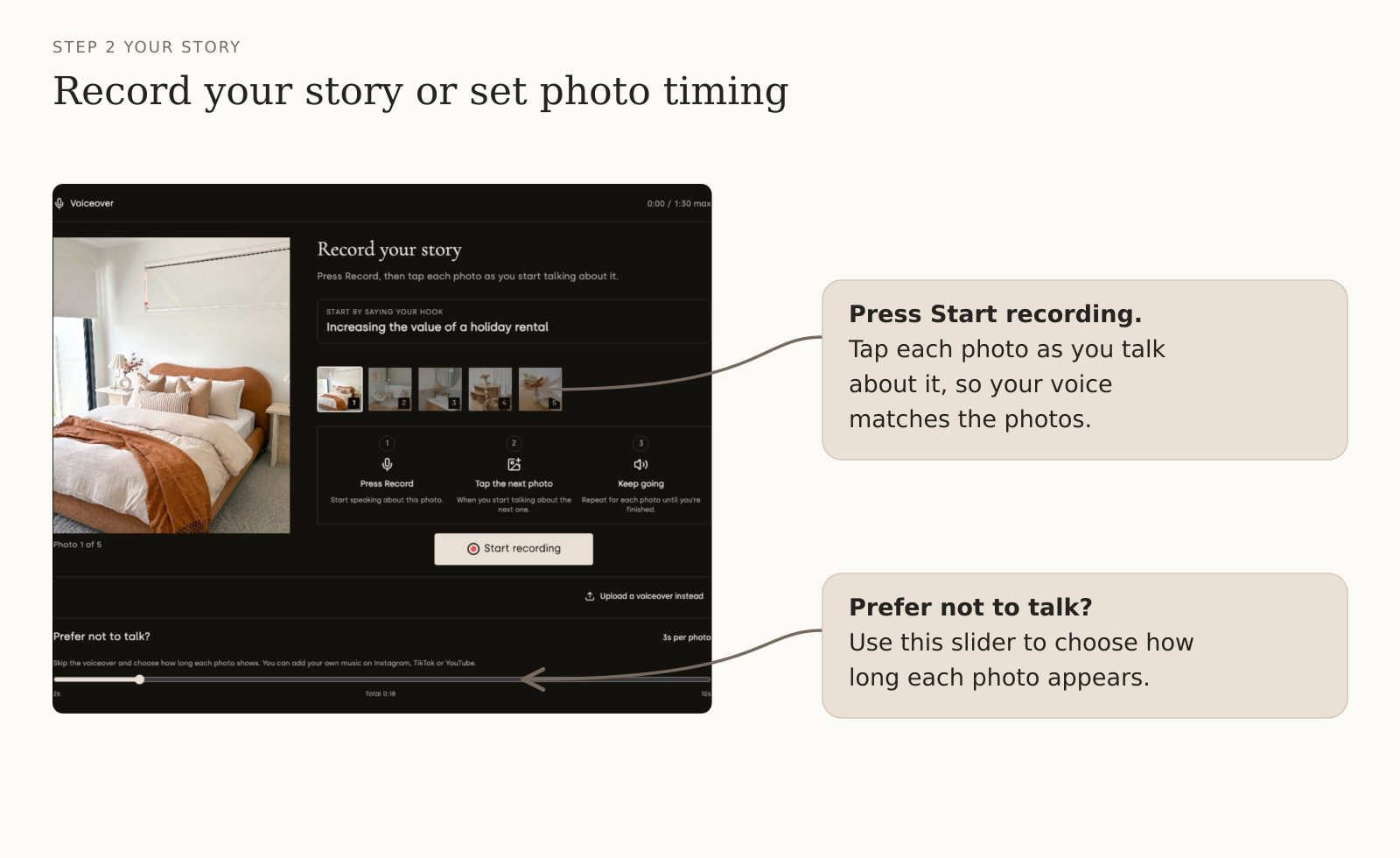
Your voice telling your stories.
- Press Start recording and say your hook.
- Tap the next photo as you start talking about it, so your voice matches your pictures.
- Prefer no voiceover? Under Adding music later?, select Skip voiceover and use photo timing.
- Then choose the seconds per photo.
Listen back before you move on.
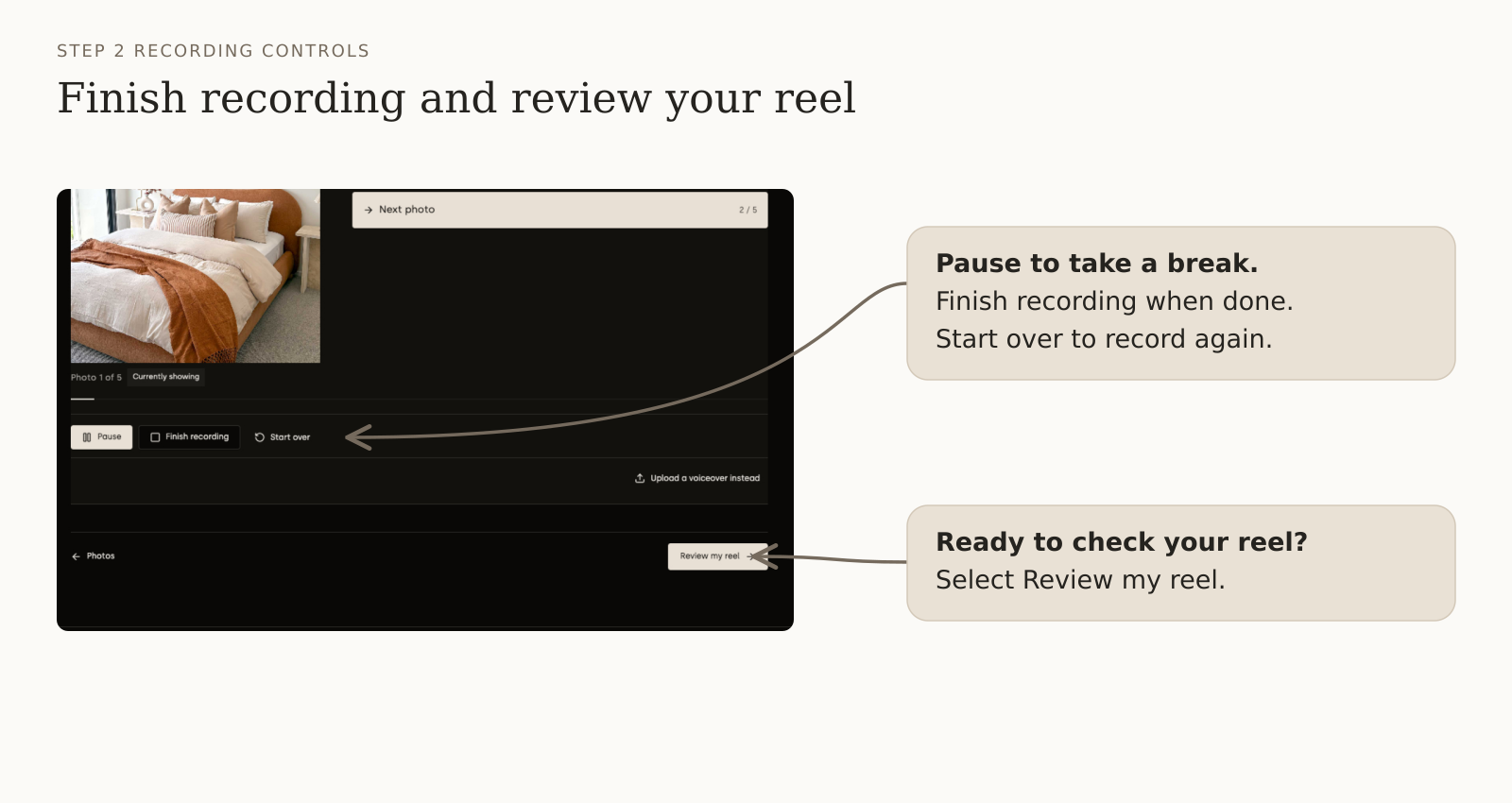
- Select Finish recording, then Play back.
- Use Record again for another take, or upload a voiceover instead.
- Ready? Select Review my reel.
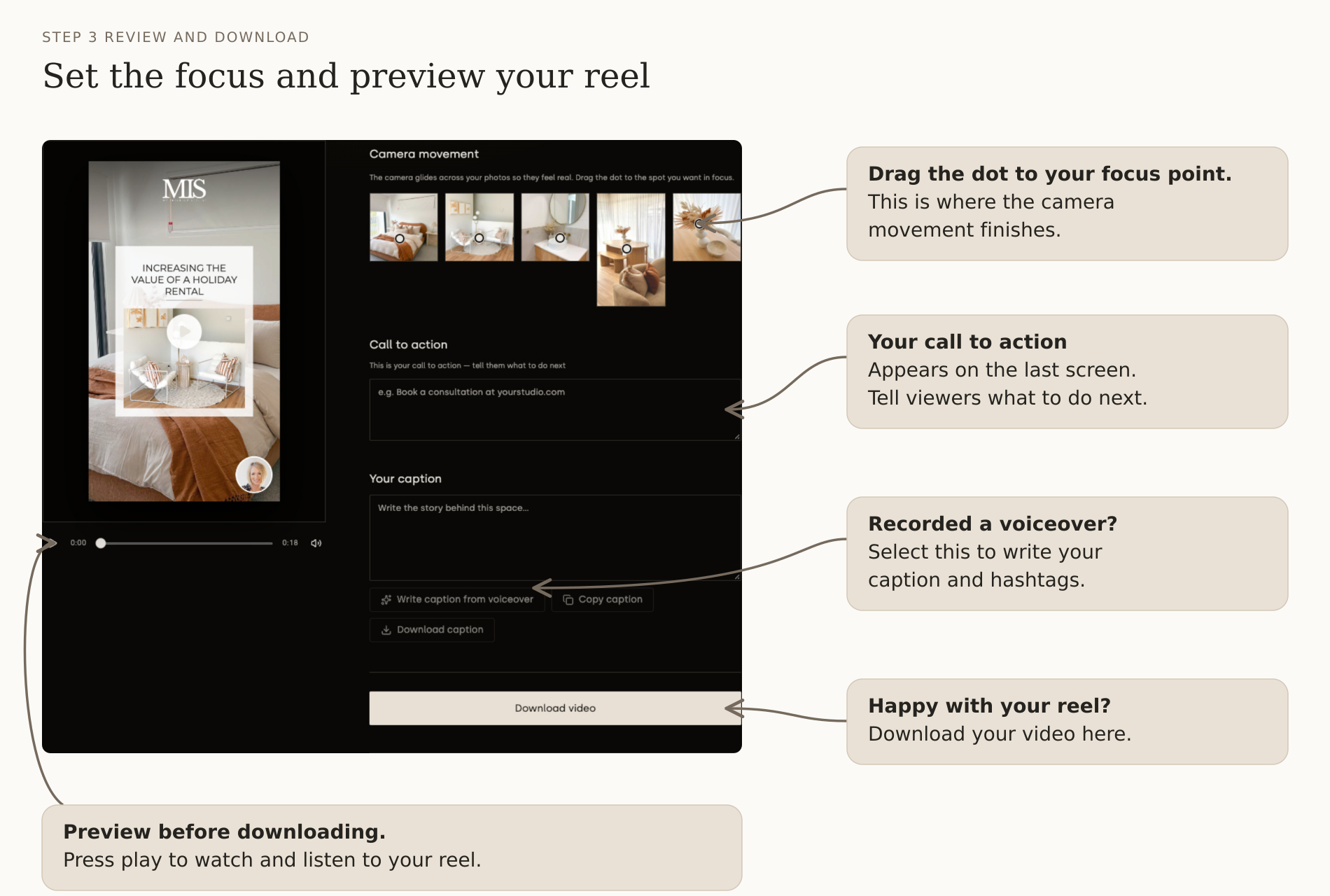
STEP 3 · REVIEW & DOWNLOAD
Watch it. Then download it.
- Drag the dots to choose the focus.
- Add your call to action and caption.
- Press play to watch and listen.
- Happy with it? Select Download video.
- Save your video and cover image.
- Copy or download your caption too.